A free innovation from Rafd · Windows 10 & 11
The file explorer for Windows that doesn't make you wait.
Glint opens folders in milliseconds, shows the size of every folder, and finds any file on any drive as you type. Free, open source, and no account.
- 12 ms
- System32 on screen, all 5,092 items
- 0.4 ms
- Every folder in C:\Windows sized
- 7.7 ms
- One file found among 3 million names
- MIT
- Free and open source, on GitHub
01 Open
A blink lasts 100 to 400 milliseconds. Glint reads a folder in one pass, sorts it in Rust and draws only the rows you can see, so System32's 5,092 items are on screen in 12.
A blink, 0.1 to 0.4 s: BioNumbers 100706, after Schiffman, Sensation and Perception (2001)
02 Size
File Explorer keeps folder sizes in Properties. Glint puts them in the list as the folder opens, so you can sort by them, and draws any folder as a map of what fills it, like WizTree.
- 0.4 ms
- to size every folder in C:\Windows, from the index
- 53 ms
- to map all of C:, 464 GB, after the click
03 Find
Turn on instant search and a small service reads each NTFS drive's file table once, the way Everything does, then follows every change. Every kernel32.dll on three drives, among more than 3 million names, turns up in 7.7 ms.
- 2.4 s
- to index a C: of 2.9 million entries
- 0.3 s
- for a change on disk to show up
- 0.25 s
- to be ready again after a restart
14 of 9,474 names
- Live Kernel Reports C:\Windows
- kernel .appcore.dll C:\Windows\System32
- kernel 32.dll C:\Windows\System32
- Kernel Base.dll C:\Windows\System32
- microsoft-windows- kernel -cc-events.dll C:\Windows\System32
- microsoft-windows- kernel -pnp-events.dll C:\Windows\System32
- microsoft-windows- kernel -power-events.dll C:\Windows\System32
- microsoft-windows- kernel -processor-power-events.dll C:\Windows\System32
This demo searches 9,474 of Windows' own file names, right here in your browser. Glint searches every name on your drives.
04 More
-
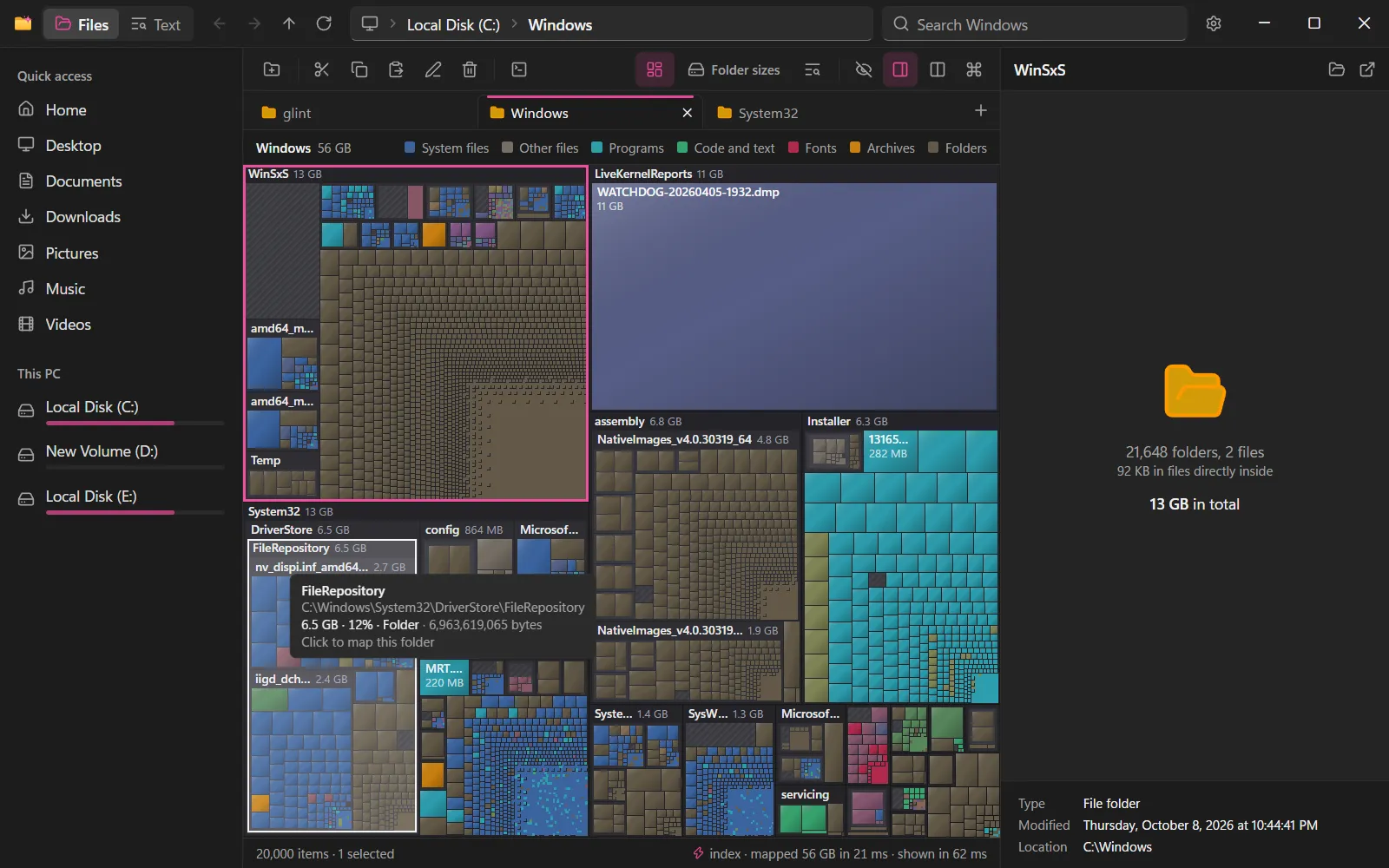
A map of your drive
Every folder and file as a block the size of the space it takes, like WizTree.
-
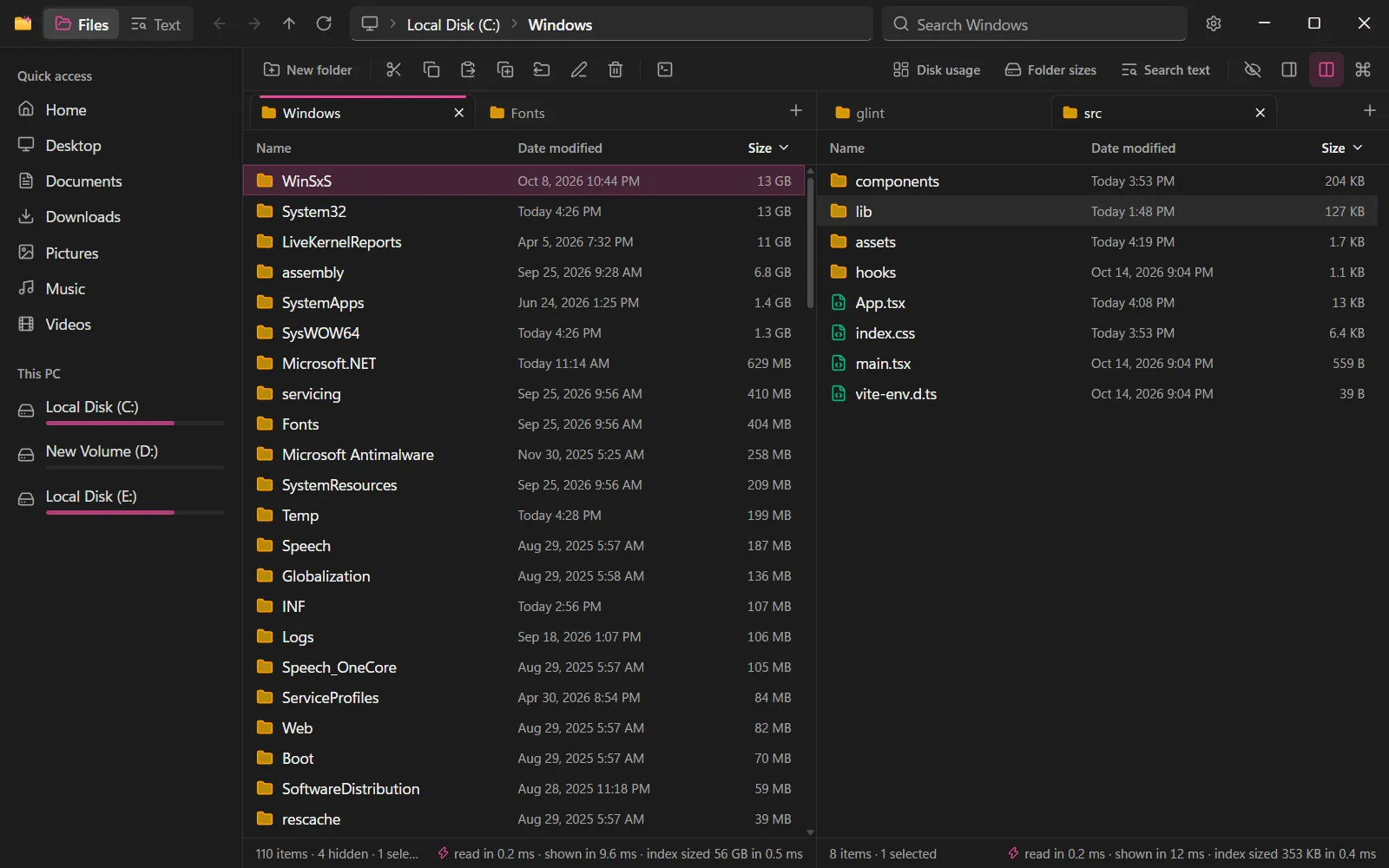
Tabs, and two panes
Copy and move between two folders, or compare them and sync.
-
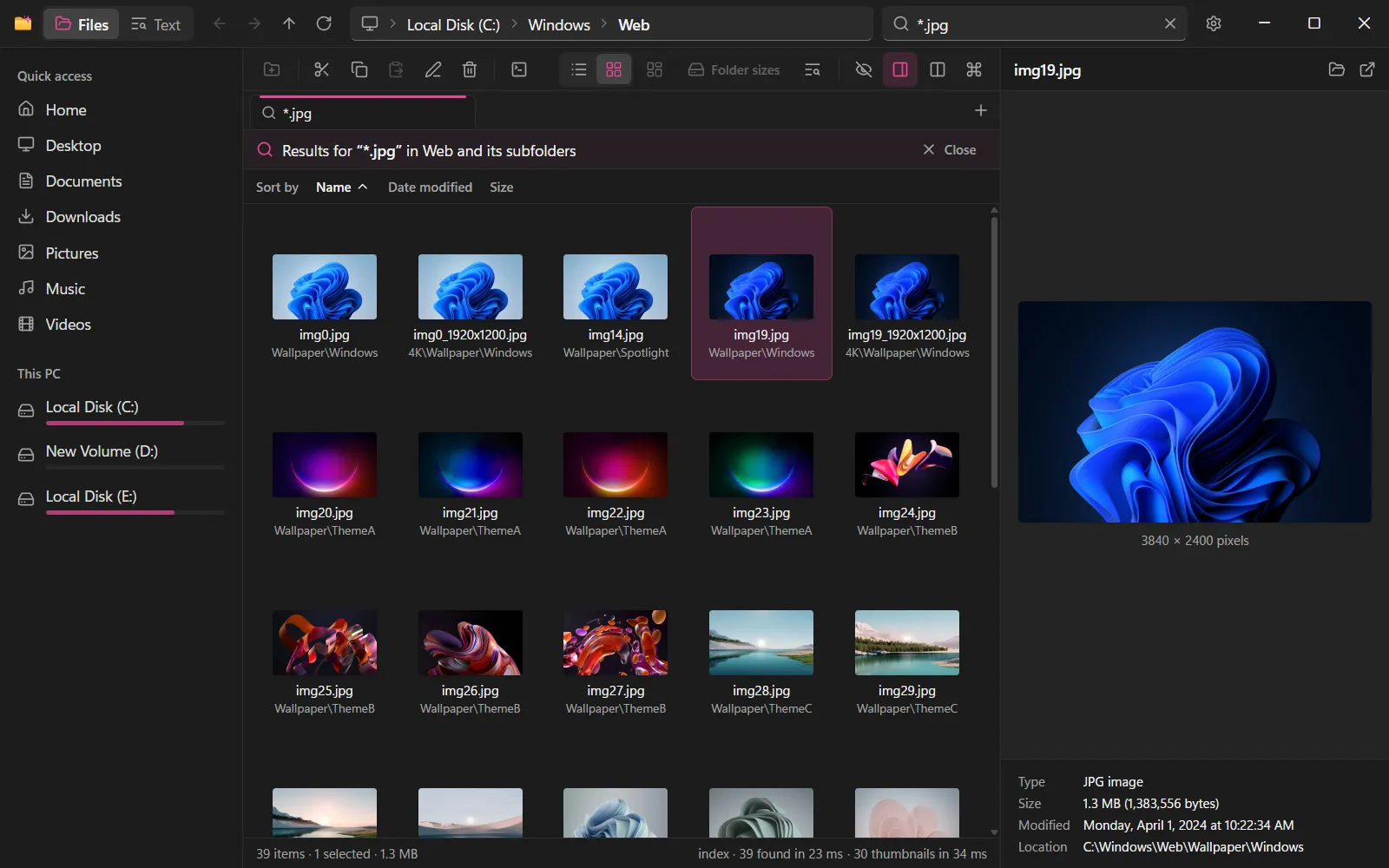
Thumbnails that never wait
1,200 photos on screen in 9.3 ms, thumbnails from Windows' own cache.
-
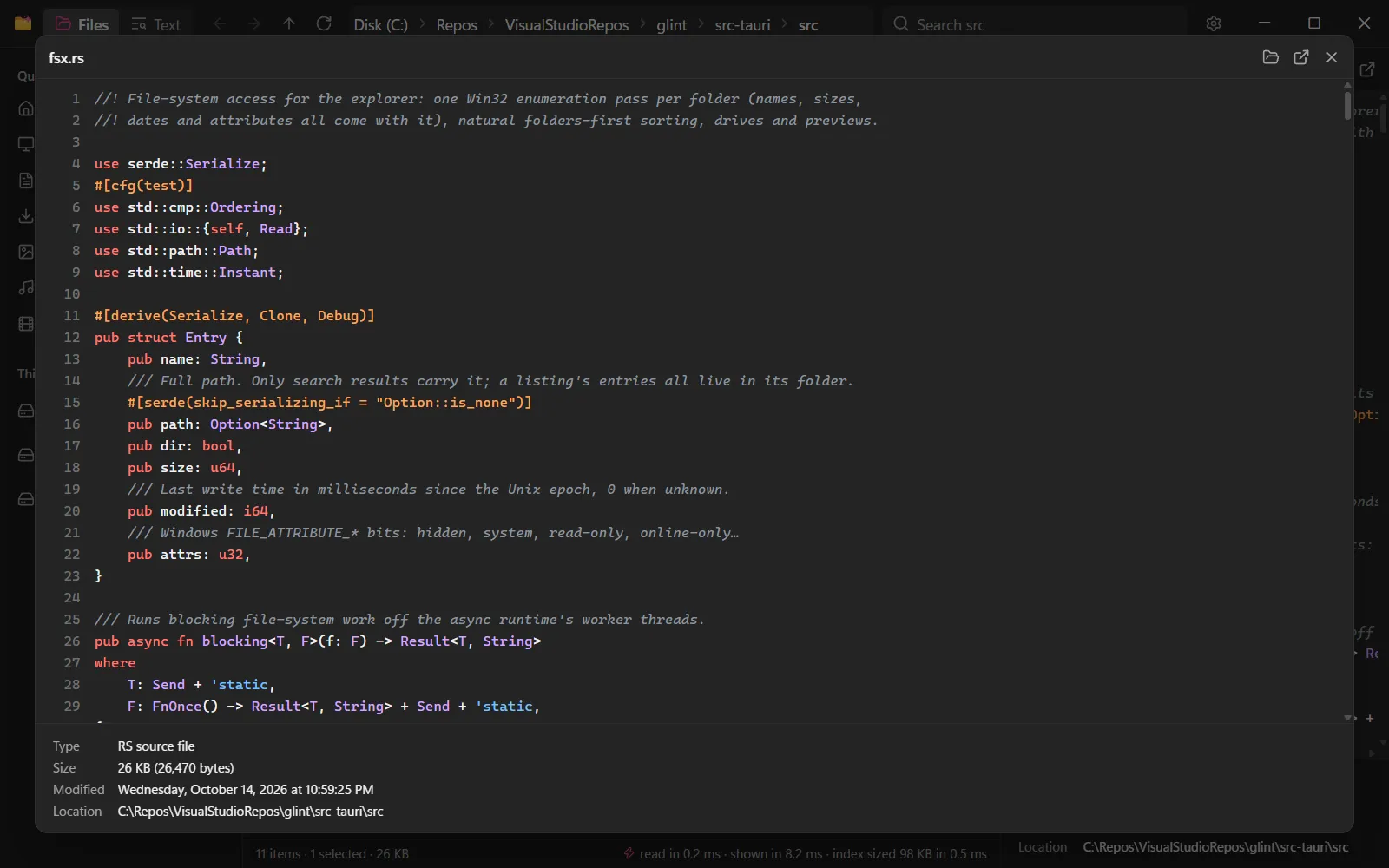
Quick Look on Space
Any file full size without opening it: code, pictures, PDFs, Office files.
-
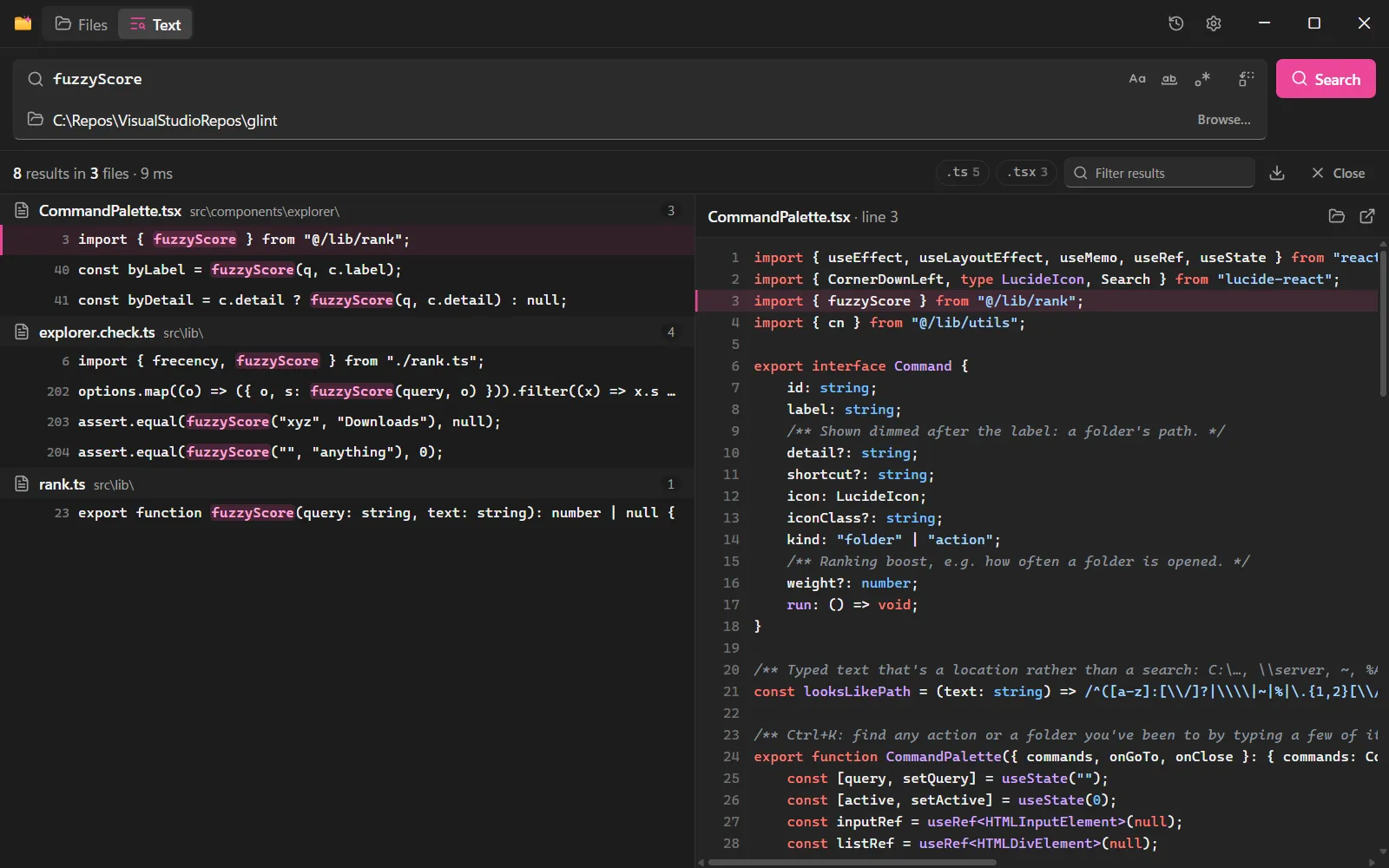
Search inside files
ripgrep in any folder, with regular expressions and replace.
-
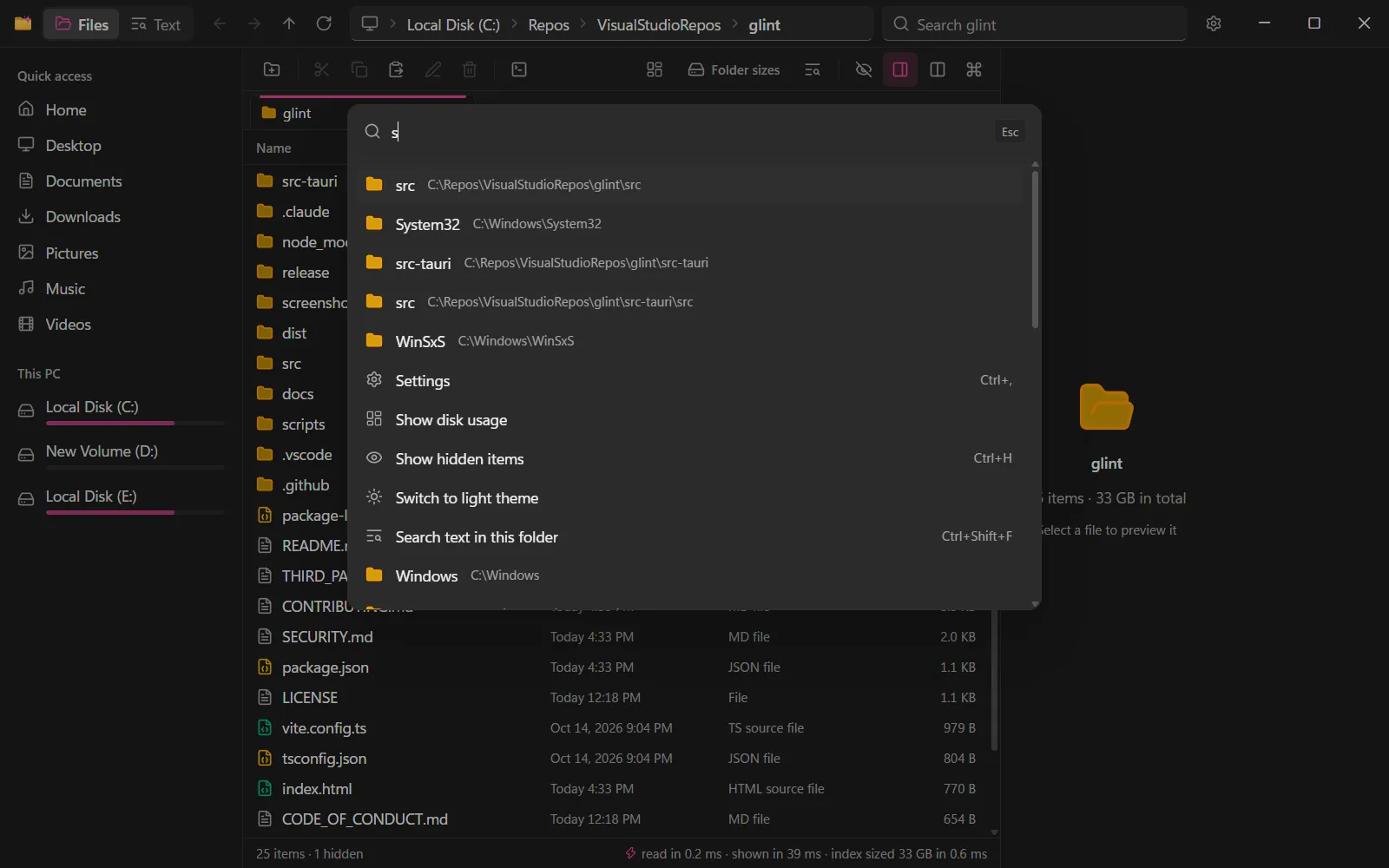
Ctrl+K for everything
Jump to the folders you use most, or run any command, by typing.
Also in Glint
- Archives that open like folders
- Git status in every folder
- A terminal under the files
- Checksums and File X-Ray
- Batch rename with Undo
- Duplicates and Clean up
- Send files to another PC
- S3, WebDAV and SFTP folders
05 Get Glint
It installs for your account in a few seconds, without administrator rights, and keeps itself up to date.
- Windows' own file engine
- No telemetry, no account
- Signed, checked updates
- Open source, MIT
The installer isn't code-signed yet, so Windows may say it protected your PC: choose More info, then Run anyway.
Scoop
scoop bucket add shadijhade https://github.com/shadijhade/scoop-bucket scoop install shadijhade/glint Checks the download against its hash and keeps Glint up to date.
winget
winget install shadijhade.Glint Once winget's moderators have reviewed Glint, a few weeks for a new package.
Is Glint free?
Yes. It's open source under the MIT license, with no ads and no account.
Why does Windows say it protected my PC?
Glint's installer isn't code-signed yet, and Windows warns about programs it hasn't seen many people run. Choose More info, then Run anyway. All of Glint's code is on GitHub, every update is signed and checked before it installs, and each download's SHA-256 is on its release page. On a PC with Smart App Control on, Windows doesn't run unsigned programs at all, so Glint can't run there until its installer is signed.
Does it collect any data?
No. There's no telemetry and no analytics: on its own, Glint only asks GitHub whether there's a new version.
Does it replace File Explorer?
No, it runs next to it, and copying and drag and drop work between the two. Instant search, the index behind the fastest searches, is off until you turn it on. To remove Glint, uninstall it from Settings → Apps.
More in the README, the privacy policy and how instant search works.